Contact Premier Online Trainings Today
Premier Online Trainings

Oracle Apps DBA - Oracle E-Business Suite (EBS) upgrade steps from 12.2.0 to 12.2.9 - Part 4

Date Added: 30 May.2020 Date Updated: 30 May.2020 Oracle Apps DBA Full Blog

Oracle E-Business Suite (EBS) upgrade steps from 12.2.0 to 12.2.9 - Part 4


- Apply Oracle E-Business Suite 12.2.9 Release Update Pack

 
Oracle E-Business Suite Release 12.2.9 Readme (Doc ID 2495027.1)
Section 8: Apply Oracle E-Business Suite 12.2.9 Release Update Pack
 
- 8.1 Path A — Upgrade and New Installation Customers upgrading to Oracle E-Business Suite 12.2.9 Release Update Pack
 
Source the run edition applications environment.
UNIX:
$ . <INSTALL_BASE>/EBSapps.env run
 
[applprd@ebs1229 ~]$ cd /u02/applprd/PROD/
[applprd@ebs1229 PROD]$
[applprd@ebs1229 PROD]$ . EBSapps.env run
 
  E-Business Suite Environment Information
  ----------------------------------------
  RUN File System           : /u02/applprd/PROD/fs1/EBSapps/appl
  PATCH File System         : /u02/applprd/PROD/fs2/EBSapps/appl
  Non-Editioned File System : /u02/applprd/PROD/fs_ne
 
  DB Host: ebs1229.premier.com  Service/SID: PROD
 
  Sourcing the RUN File System ...
 
[applprd@ebs1229 PROD]$
 
Stop Oracle WebLogic Server's Admin Server and Node Manager services.
 
To apply a patch in downtime mode, you must shut down all application tier services, including the Oracle WebLogic Server Admin Server and Node Manager.
 
Stop the Oracle WebLogic Server Admin Server on the run file system.
 
UNIX:
$ sh $ADMIN_SCRIPTS_HOME/adadminsrvctl.sh stop
 
 
[applprd@ebs1229 PROD]$ cd $ADMIN_SCRIPTS_HOME
[applprd@ebs1229 scripts]$ sh adadminsrvctl.sh stop
 
You are running adadminsrvctl.sh version 120.10.12020000.11
Enter the WebLogic Admin password:
Enter the APPS Schema password:
Stopping WLS Admin Server...
Refer /u02/applprd/PROD/fs1/inst/apps/PROD_ebs1229/logs/appl/admin/log/adadminsrvctl.txt for details
 
AdminServer logs are located at  /u02/applprd/PROD/fs1/FMW_Home/user_projects/domains/EBS_domain_PROD/servers/AdminServer/logs
adadminsrvctl.sh: exiting with status 0
 
adadminsrvctl.sh: check the logfile /u02/applprd/PROD/fs1/inst/apps/PROD_ebs1229/logs/appl/admin/log/adadminsrvctl.txt for  more information ...
[applprd@ebs1229 scripts]$
 
Apply Oracle E-Business Suite 12.2.9 Release Update Pack Patch 28840850 on the run edition application environment, using downtime mode.
 
[applprd@ebs1229 PROD]$ adop phase=apply apply_mode=downtime patches=28840850  patchtop=/soft/1229upgrade/appatch/1229 workers=12
 
Enter the APPS password:
Enter the SYSTEM password:
Enter the WLSADMIN password:
 
Validating credentials.
 
Initializing.
    Run Edition context  : /u02/applprd/PROD/fs1/inst/apps/PROD_ebs1229/appl/admin/PROD_ebs1229.xml
    Patch edition context: /u02/applprd/PROD/fs2/inst/apps/PROD_ebs1229/appl/admin/PROD_ebs1229.xml
    Patch file system free space: 214.60 GB
 
Validating system setup.
    Node registry is valid.
    [WARNING]   MTCC has not been run. Apply Patch 17537119 and run checkMTpatch.sh.
 
Checking for existing adop sessions.
    Session Id            :   2
    Prepare phase status  :   NOT APPLICABLE
    Apply phase status    :   ATLEAST ONE PATCH IS ALREADY APPLIED
    Cutover  phase status :   NOT APPLICABLE
    Abort phase status    :   NOT APPLICABLE
    Session status        :   FAILED
    Continuing with existing session [Session ID: 2].
 
===========================================================================
ADOP (C.Delta.11)
Session ID: 2
Node: ebs1229
Phase: apply
Log: /u02/applprd/PROD/fs_ne/EBSapps/log/adop/2/20200520_191859/adop.log
===========================================================================
 
Applying patch 28840850.
    Log: /u02/applprd/PROD/fs_ne/EBSapps/log/adop/2/20200520_191859/apply/ebs1229/28840850/log/u28840850.log
 
Running finalize actions for the patches being applied.
    Log: @ADZDSHOWLOG.sql "2020/05/21 06:02:32"
 
Running cutover actions for the patches being applied.
    Creating workers to process cutover DDL in parallel
    Log: /u02/applprd/PROD/fs_ne/EBSapps/log/adop/2/20200520_191859/apply/ebs1229/log/cutover.log
    Performing database cutover in Quick mode
Generating post apply reports. 
Generating log report.
    Output: /u02/applprd/PROD/fs_ne/EBSapps/log/adop/2/20200520_191859/apply/ebs1229/adzdshowlog.out
 
The apply phase completed successfully.
adop exiting with status = 0 (Success)
[applprd@ebs1229 PROD]$
 
 
- Start all app tier services on the run file system and validate 
 
- Star the application services
 
[applprd@ebs1229 scripts]$ sh adstrtal.sh apps/apps
 
You are running adstrtal.sh version 120.24.12020000.11
Enter the WebLogic Server password:
The logfile for this session is located at /u02/applprd/PROD/fs1/inst/apps/PROD_ebs1229/logs/appl/admin/log/adstrtal.log
 
Executing service control script:
/u02/applprd/PROD/fs1/inst/apps/PROD_ebs1229/admin/scripts/jtffmctl.sh start
Timeout specified in context file: 100 second(s)
script returned:
****************************************************
 
You are running jtffmctl.sh version 120.3.12020000.4
Validating Fulfillment patch level via /u02/applprd/PROD/fs1/EBSapps/comn/java/classes
Fulfillment patch level validated.
Starting Fulfillment Server for PROD on port 9300 ...
 
jtffmctl.sh: exiting with status 0
 
.end std out.
 
.end err out.
 
****************************************************
Executing service control script:
/u02/applprd/PROD/fs1/inst/apps/PROD_ebs1229/admin/scripts/adopmnctl.sh start
Timeout specified in context file: 100 second(s)
script returned:
****************************************************
 
You are running adopmnctl.sh version 120.0.12020000.2
Starting Oracle Process Manager (OPMN) ...
adopmnctl.sh: exiting with status 0
 
adopmnctl.sh: check the logfile /u02/applprd/PROD/fs1/inst/apps/PROD_ebs1229/logs/appl/admin/log/adopmnctl.txt for more  
information ...
 
.end std out.
 
.end err out.
 
****************************************************
 
Executing service control script:
/u02/applprd/PROD/fs1/inst/apps/PROD_ebs1229/admin/scripts/adapcctl.sh start
Timeout specified in context file: 100 second(s)
 
script returned:
****************************************************
 
You are running adapcctl.sh version 120.0.12020000.6
Starting OPMN managed Oracle HTTP Server (OHS) instance ...
 
adapcctl.sh: exiting with status 0
 
adapcctl.sh: check the logfile /u02/applprd/PROD/fs1/inst/apps/PROD_ebs1229/logs/appl/admin/log/adapcctl.txt for more  
information ...
.end std out.
 
.end err out.
 
****************************************************
 
Executing service control script:
/u02/applprd/PROD/fs1/inst/apps/PROD_ebs1229/admin/scripts/adnodemgrctl.sh start -nopromptmsg
Timeout specified in context file: -1 second(s)
 
script returned:
****************************************************
 
You are running adnodemgrctl.sh version 120.11.12020000.12
 
Calling txkChkEBSDependecies.pl to perform dependency checks for ALL MANAGED SERVERS
Perl script txkChkEBSDependecies.pl got executed successfully
 
Starting the Node Manager...
Refer /u02/applprd/PROD/fs1/inst/apps/PROD_ebs1229/logs/appl/admin/log/adnodemgrctl.txt for details
 
NodeManager log is located at /u02/applprd/PROD/fs1/FMW_Home/wlserver_10.3/common/nodemanager/nmHome1
 
adnodemgrctl.sh: exiting with status 0
 
adnodemgrctl.sh: check the logfile /u02/applprd/PROD/fs1/inst/apps/PROD_ebs1229/logs/appl/admin/log/adnodemgrctl.txt for  
more information ...
 
.end std out.
*** ALL THE FOLLOWING FILES ARE REQUIRED FOR RESOLVING RUNTIME ERRORS
*** Log File =  
/u02/applprd/PROD/fs1/inst/apps/PROD_ebs1229/logs/appl/rgf/TXK/txkChkEBSDependecies_Fri_May_22_12_55_04_2020/tx 
kChkEBSDependecies_Fri_May_22_12_55_04_2020.log
 
.end err out.
 
****************************************************
Executing service control script:
/u02/applprd/PROD/fs1/inst/apps/PROD_ebs1229/admin/scripts/adalnctl.sh start
Timeout specified in context file: 100 second(s)
 
script returned:
****************************************************
adalnctl.sh version 120.3.12020000.4
 
Checking for FNDFS executable.
Starting listener process APPS_PROD.
 
adalnctl.sh: exiting with status 0
 
adalnctl.sh: check the logfile /u02/applprd/PROD/fs1/inst/apps/PROD_ebs1229/logs/appl/admin/log/adalnctl.txt for more  
information ...
 
.end std out.
 
.end err out.
 
****************************************************
Executing service control script:
/u02/applprd/PROD/fs1/inst/apps/PROD_ebs1229/admin/scripts/adcmctl.sh start
Timeout specified in context file: 1000 second(s)
 
script returned:
****************************************************
 
You are running adcmctl.sh version 120.19.12020000.7
 
Starting concurrent manager for PROD ...
Starting PROD_0522@PROD Internal Concurrent Manager
Default printer is noprint
 
adcmctl.sh: exiting with status 0
 
adcmctl.sh: check the logfile /u02/applprd/PROD/fs1/inst/apps/PROD_ebs1229/logs/appl/admin/log/adcmctl.txt for more  
information ...
 
.end std out.
 
.end err out.
 
****************************************************
 
Executing service control script:
/u02/applprd/PROD/fs1/inst/apps/PROD_ebs1229/admin/scripts/adadminsrvctl.sh start -nopromptmsg
Timeout specified in context file: -1 second(s)
 
script returned:
****************************************************
 
You are running adadminsrvctl.sh version 120.10.12020000.11
 
Starting WLS Admin Server...
Refer /u02/applprd/PROD/fs1/inst/apps/PROD_ebs1229/logs/appl/admin/log/adadminsrvctl.txt for details
 
AdminServer logs are located at  
/u02/applprd/PROD/fs1/FMW_Home/user_projects/domains/EBS_domain_PROD/servers/AdminServer/logs
 
adadminsrvctl.sh: exiting with status 0
 
adadminsrvctl.sh: check the logfile /u02/applprd/PROD/fs1/inst/apps/PROD_ebs1229/logs/appl/admin/log/adadminsrvctl.txt for  
more information ...
 
 
.end std out.
 
.end err out.
 
****************************************************
Executing service control script:
/u02/applprd/PROD/fs1/inst/apps/PROD_ebs1229/admin/scripts/admanagedsrvctl.sh start forms_server1 -nopromptmsg
Timeout specified in context file: -1 second(s)
 
script returned:
****************************************************
 
You are running admanagedsrvctl.sh version 120.14.12020000.12
 
Starting forms_server1...
 
Server specific logs are located at  
/u02/applprd/PROD/fs1/FMW_Home/user_projects/domains/EBS_domain_PROD/servers/forms_server1/logs
 
admanagedsrvctl.sh: exiting with status 0
 
admanagedsrvctl.sh: check the logfile /u02/applprd/PROD/fs1/inst/apps/PROD_ebs1229/logs/appl/admin/log/adformsctl.txt for  
more information ...
 
.end std out.
 
.end err out.
 
****************************************************
Executing service control script:
/u02/applprd/PROD/fs1/inst/apps/PROD_ebs1229/admin/scripts/admanagedsrvctl.sh start oafm_server1 -nopromptmsg
Timeout specified in context file: -1 second(s)
 
script returned:
****************************************************
 
You are running admanagedsrvctl.sh version 120.14.12020000.12
 
Starting oafm_server1...
 
Server specific logs are located at  
/u02/applprd/PROD/fs1/FMW_Home/user_projects/domains/EBS_domain_PROD/servers/oafm_server1/logs
 
admanagedsrvctl.sh: exiting with status 0
 
admanagedsrvctl.sh: check the logfile /u02/applprd/PROD/fs1/inst/apps/PROD_ebs1229/logs/appl/admin/log/adoafmctl.txt for  
more information ...
 
.end std out.
 
.end err out.
 
****************************************************
Executing service control script:
/u02/applprd/PROD/fs1/inst/apps/PROD_ebs1229/admin/scripts/admanagedsrvctl.sh start oacore_server1 -nopromptmsg
Timeout specified in context file: -1 second(s)
 
script returned:
****************************************************
 
You are running admanagedsrvctl.sh version 120.14.12020000.12
 
Starting oacore_server1...
 
Server specific logs are located at  
/u02/applprd/PROD/fs1/FMW_Home/user_projects/domains/EBS_domain_PROD/servers/oacore_server1/logs
 
admanagedsrvctl.sh: exiting with status 0
 
admanagedsrvctl.sh: check the logfile /u02/applprd/PROD/fs1/inst/apps/PROD_ebs1229/logs/appl/admin/log/adoacorectl.txt for  
more information ...
 
.end std out.
 
.end err out.
 
****************************************************
All enabled services for this node are started.
 
adstrtal.sh: Exiting with status 0
 
adstrtal.sh: check the logfile /u02/applprd/PROD/fs1/inst/apps/PROD_ebs1229/logs/appl/admin/log/adstrtal.log for more  
information ...
 
[applprd@ebs1229 scripts]$
 
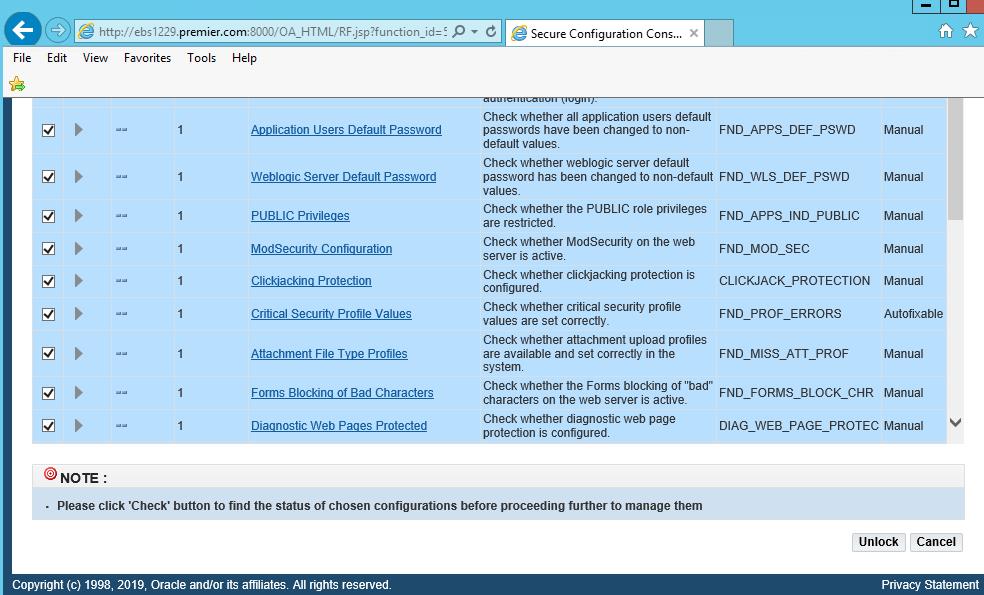
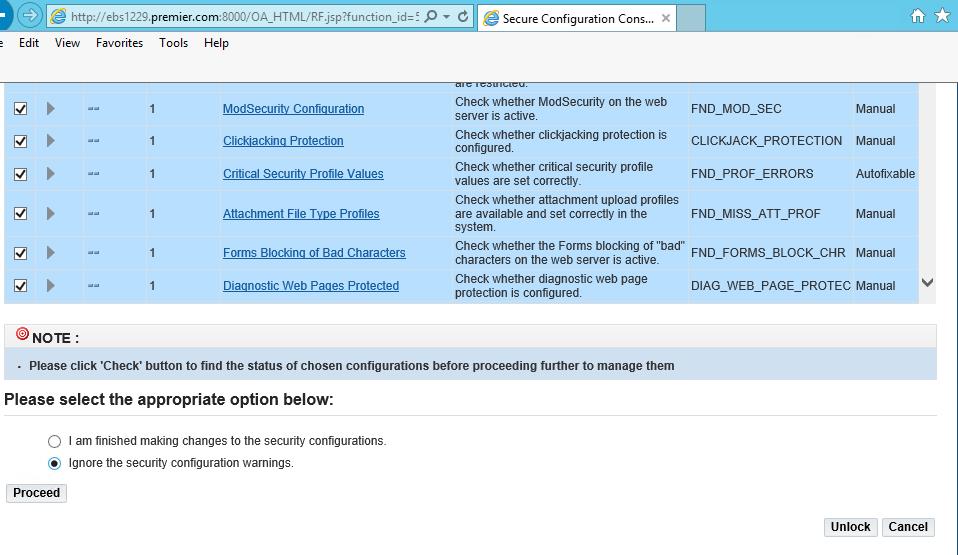
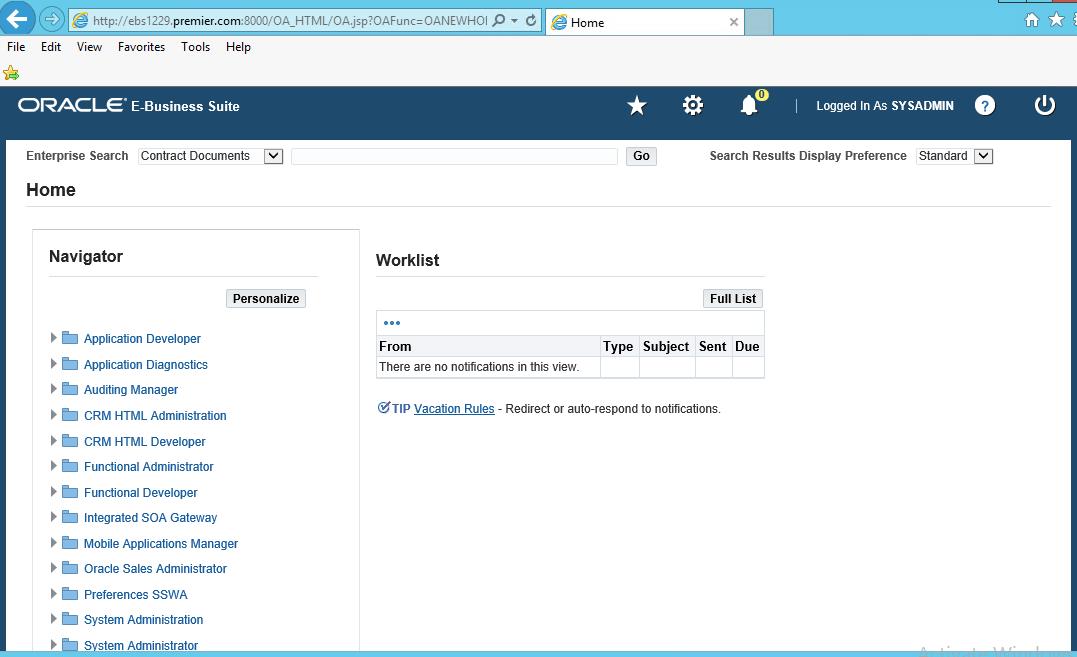
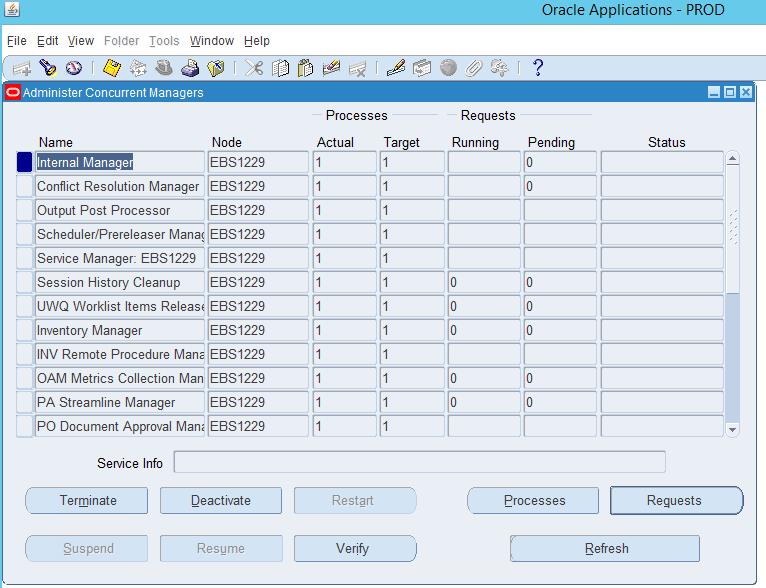
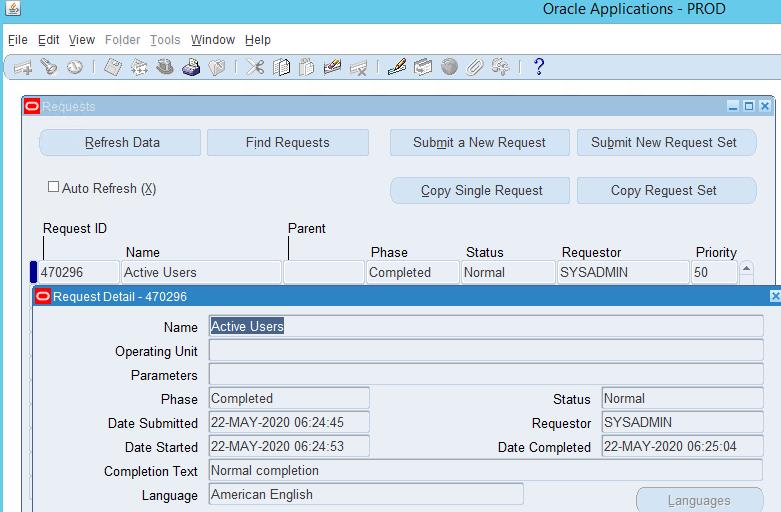
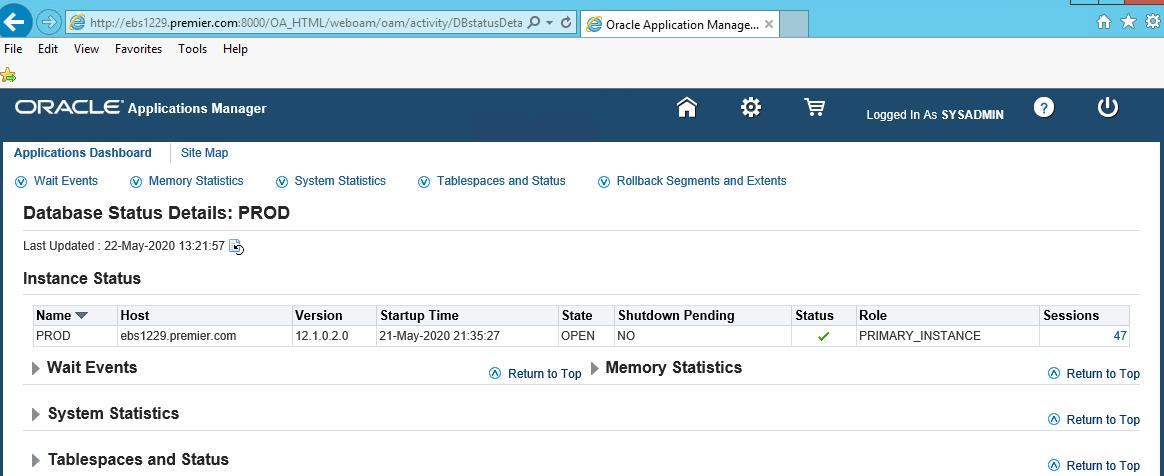
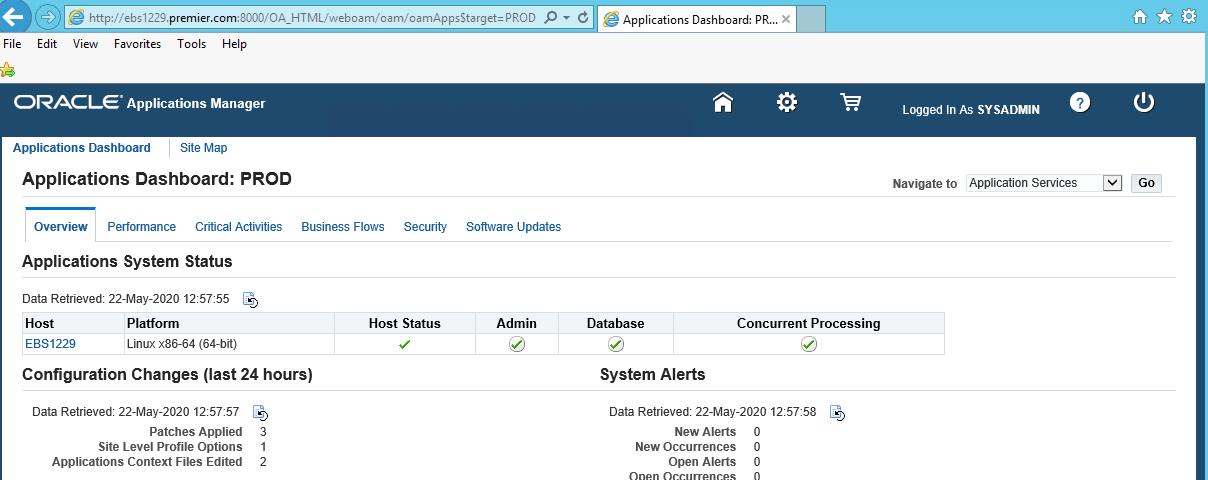
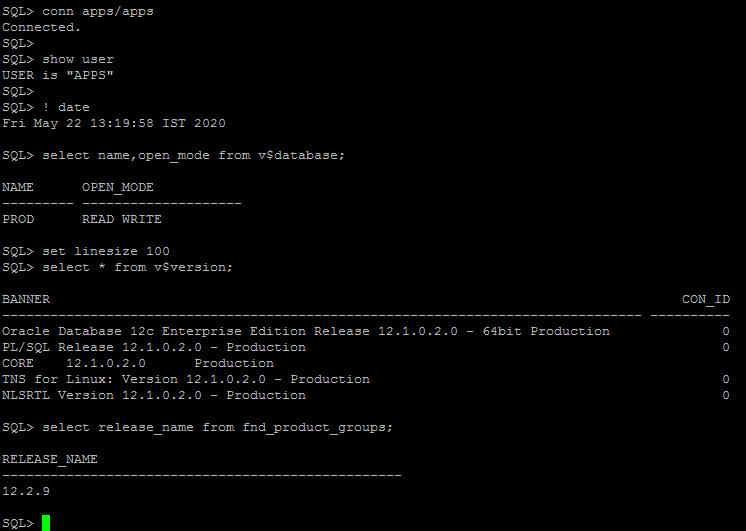
- Validate application and submit active user
 
EBS120to1229-upgrade10.jpg
EBS120to1229-upgrade11.jpg
EBS120to1229-upgrade12.jpg
EBS120to1229-upgrade13.jpg
EBS120to1229-upgrade14.jpg
EBS120to1229-upgrade15.jpg
EBS120to1229-upgrade16.jpg
EBS120to1229-upgrade17.jpg
EBS120to1229-upgrade18.jpg
EBS120to1229-upgrade19.jpg
EBS120to1229-upgrade20.jpg

- Perform adop cleanup and fs_clone action.

Perform adop cleanup action.
UNIX:
$ adop phase=cleanup
 
[applprd@ebs1229 ~]$ cd /u02/applprd/PROD/
[applprd@ebs1229 PROD]$ 
[applprd@ebs1229 PROD]$ . EBSapps.env run
 
  E-Business Suite Environment Information
  ----------------------------------------
  RUN File System           : /u02/applprd/PROD/fs1/EBSapps/appl
  PATCH File System         : /u02/applprd/PROD/fs2/EBSapps/appl
  Non-Editioned File System : /u02/applprd/PROD/fs_ne
 
  DB Host: ebs1229.premier.com  Service/SID: PROD
 
  Sourcing the RUN File System ...
 
[applprd@ebs1229 PROD]$ 
 [applprd@ebs1229 PROD]$ adop phase=cleanup
 
Enter the APPS password:
Enter the SYSTEM password:
Enter the WLSADMIN password:
 
Validating credentials.
 
Initializing.
    Run Edition context  : /u02/applprd/PROD/fs1/inst/apps/PROD_ebs1229/appl/admin/PROD_ebs1229.xml
    Patch edition context: /u02/applprd/PROD/fs2/inst/apps/PROD_ebs1229/appl/admin/PROD_ebs1229.xml
    Patch file system free space: 213.98 GB
 
Validating system setup.
    Node registry is valid.
    [WARNING]   MTCC has not been run. Apply Patch 17537119 and run checkMTpatch.sh.
 
Checking for existing adop sessions.
 
===========================================================================
ADOP (C.Delta.11)
Session ID: 2
Node: ebs1229
Phase: cleanup
Log: /u02/applprd/PROD/fs_ne/EBSapps/log/adop/2/20200521_231624/adop.log
===========================================================================
 
Processing cleanup actions in parallel.
    Log: /u02/applprd/PROD/fs_ne/EBSapps/log/adop/2/20200521_231624/cleanup/ebs1229/log/cleanup.log
 
Generating report of queued DDL actions.
    Output: /u02/applprd/PROD/fs_ne/EBSapps/log/adop/2/20200521_231624/cleanup/ebs1229/adzdallddls.out
 
Running cleanup in STANDARD mode.
    Log: @ADZDSHOWLOG.sql "2020/05/22 00:26:17"
    [ERROR]     [CLEANUP 1:1 ddl_id=25943] ORA-04021: timeout occurred while waiting to lock object  SQL: begin  
sys.ad_grants.cleanup; end;
 
Generating log report.
    Output: /u02/applprd/PROD/fs_ne/EBSapps/log/adop/2/20200521_231624/cleanup/ebs1229/adzdshowlog.out
 
The cleanup phase completed successfully.
adop exiting with status = 0 (Success)
[applprd@ebs1229 PROD]$ 
[applprd@ebs1229 PROD]$ 
 
 
Synchronize file systems
Synchronize the file systems using the command shown below. This action will copy the new run edition code and configuration to the other file system, to ensure that both file systems are in sync before applying patches using the regular adop cycle on the other file system.
 
$ adop phase=fs_clone
 
[applprd@ebs1229 PROD]$ 
[applprd@ebs1229 PROD]$ adop phase=fs_clone
 
Enter the APPS password:
Enter the SYSTEM password:
Enter the WLSADMIN password:
 
Validating credentials.
Initializing.
    Run Edition context  : /u02/applprd/PROD/fs1/inst/apps/PROD_ebs1229/appl/admin/PROD_ebs1229.xml
    Patch edition context: /u02/applprd/PROD/fs2/inst/apps/PROD_ebs1229/appl/admin/PROD_ebs1229.xml
   Patch file system free space: 213.97 GB
Validating system setup.
    Node registry is valid.
    [WARNING]   MTCC has not been run. Apply Patch 17537119 and run checkMTpatch.sh.
 
Checking for existing adop sessions.
    No pending session exists.
    Starting new adop session.
 
===========================================================================
ADOP (C.Delta.11)
Session ID: 3
Node: ebs1229
Phase: fs_clone
Log: /u02/applprd/PROD/fs_ne/EBSapps/log/adop/3/20200522_005753/adop.log
===========================================================================
Validating configuration on node: [ebs1229].
    Log: /u02/applprd/PROD/fs_ne/EBSapps/log/adop/3/20200522_005753/fs_clone/validate/ebs1229
[WARNING]: There could be issues while validating the ports used for E-Business Suite instance against ports used in  
/etc/services. Refer the log file for more details.
 
Checking for pending cleanup actions.
    No pending cleanup actions found.
 
Blocking managed server ports.
    Log: /u02/applprd/PROD/fs_ne/EBSapps/log/adop/3/20200522_005753/fs_clone/ebs1229/txkCloneAcquirePort.log
 
Performing CLONE steps.
    Log: /u02/applprd/PROD/fs_ne/EBSapps/log/adop/3/20200522_005753/fs_clone/ebs1229
 
Beginning application tier FSCloneStage - Fri May 22 01:03:03 2020
 
/u02/applprd/PROD/fs1/EBSapps/comn/util/jdk32/bin/java -Xmx600M -DCONTEXT_VALIDATED=false - 
Doracle.installer.oui_loc=/oui -classpath  
/u02/applprd/PROD/fs1/FMW_Home/webtier/lib/xmlparserv2.jar:/u02/applprd/PROD/fs1/FMW_Home/webtier/jdbc/lib/ojdbc6.j 
ar:/u02/applprd/PROD/fs1/EBSapps/comn/java/classes:/u02/applprd/PROD/fs1/FMW_Home/webtier/oui/jlib/OraInstaller.jar:/u0 
2/applprd/PROD/fs1/FMW_Home/webtier/oui/jlib/ewt3.jar:/u02/applprd/PROD/fs1/FMW_Home/webtier/oui/jlib/share.jar:/u02/ 
applprd/PROD/fs1/FMW_Home/webtier/../Oracle_EBS- 
app1/oui/jlib/srvm.jar:/u02/applprd/PROD/fs1/FMW_Home/webtier/jlib/ojmisc.jar:/u02/applprd/PROD/fs1/FMW_Home/wlserve 
r_10.3/server/lib/weblogic.jar:/u02/applprd/PROD/fs1/FMW_Home/oracle_common/jlib/obfuscatepassword.jar   
oracle.apps.ad.clone.FSCloneStageAppsTier -e  
/u02/applprd/PROD/fs1/inst/apps/PROD_ebs1229/appl/admin/PROD_ebs1229.xml -targ  
/u02/applprd/PROD/fs2/inst/apps/PROD_ebs1229/appl/admin/PROD_ebs1229.xml -stage  
/u02/applprd/PROD/fs1/EBSapps/comn/adopclone_ebs1229 -tmp /tmp -component appsTier -nopromptmsg 
Log file located at /u02/applprd/PROD/fs1/inst/apps/PROD_ebs1229/admin/log/clone/FSCloneStageAppsTier_05220103.log
Completed FSCloneStage...
Fri May 22 02:38:49 2020
 
Beginning application tier FSCloneApply - Fri May 22 02:44:31 2020
 
/u02/applprd/PROD/fs1/EBSapps/comn/adopclone_ebs1229/FMW/t2pjdk/bin/java -Xmx600M 
DCONTEXT_VALIDATED=false -Doracle.installer.oui_loc=/oui -classpath  
/u02/applprd/PROD/fs1/EBSapps/comn/adopclone_ebs1229/jlib/xmlparserv2.jar:/u02/applprd/PROD/fs1/EBSapps/comn/adopcl 
one_ebs1229/jlib/ojdbc6.jar:/u02/applprd/PROD/fs1/EBSapps/comn/adopclone_ebs1229/jlib/java:/u02/applprd/PROD/fs1/EBSa 
pps/comn/adopclone_ebs1229/jlib/oui/OraInstaller.jar:/u02/applprd/PROD/fs1/EBSapps/comn/adopclone_ebs1229/jlib/oui/ewt3.j 
ar:/u02/applprd/PROD/fs1/EBSapps/comn/adopclone_ebs1229/jlib/oui/share.jar:/u02/applprd/PROD/fs1/FMW_Home/webtier/../ 
Oracle_EBS- 
app1/oui/jlib/srvm.jar:/u02/applprd/PROD/fs1/EBSapps/comn/adopclone_ebs1229/jlib/ojmisc.jar:/u02/applprd/PROD/fs1/FMW_ 
Home/wlserver_10.3/server/lib/weblogic.jar:/u02/applprd/PROD/fs1/EBSapps/comn/adopclone_ebs1229/jlib/obfuscatepassword. 
jar  oracle.apps.ad.clone.FSCloneApplyAppsTier -e  
/u02/applprd/PROD/fs1/inst/apps/PROD_ebs1229/appl/admin/PROD_ebs1229.xml -targ  
/u02/applprd/PROD/fs2/inst/apps/PROD_ebs1229/appl/admin/PROD_ebs1229.xml -stage  
/u02/applprd/PROD/fs1/EBSapps/comn/adopclone_ebs1229 -tmp /u02/applprd/PROD/fs1/inst/apps/PROD_ebs1229/appltmp - 
nodbac -component appsTier -nopromptmsg 
Log file located at /u02/applprd/PROD/fs1/inst/apps/PROD_ebs1229/admin/log/clone/FSCloneApplyAppsTier_05220244.log
 
Log file located at /u02/applprd/PROD/fs1/inst/apps/PROD_ebs1229/admin/log/clone/FSCloneApplyAppsTier_05220244.log
 
Target System Fusion Middleware Home set to /u02/applprd/PROD/fs2/FMW_Home
 
Target System Web Oracle Home set to /u02/applprd/PROD/fs2/FMW_Home/webtier
 
Target System Appl TOP set to /u02/applprd/PROD/fs2/EBSapps/appl
 
Target System COMMON TOP set to /u02/applprd/PROD/fs2/EBSapps/comn
 
Target System Instance Top set to /u02/applprd/PROD/fs2/inst/apps/PROD_ebs1229
Report file located at /u02/applprd/PROD/fs2/inst/apps/PROD_ebs1229/temp/portpool.lst
The new APPL_TOP context file has been created :
  /u02/applprd/PROD/fs2/inst/apps/PROD_ebs1229/appl/admin/PROD_ebs1229.xml
contextfile=/u02/applprd/PROD/fs2/inst/apps/PROD_ebs1229/appl/admin/PROD_ebs1229.xml
Completed FSCloneApply...
Fri May 22 04:59:43 2020
Resetting FARM name...
runDomainName: EBS_domain_PROD
patchDomainName: 
targets_xml_loc: /u02/applprd/PROD/fs2/FMW_Home/user_projects/domains//sysman/state/targets.xml
 
/u02/applprd/PROD/fs2/FMW_Home/user_projects/domains//sysman/state/targets.xml file not found or it does not have  
read/write permissions.
 
Releasing managed server ports.
    Log: /u02/applprd/PROD/fs_ne/EBSapps/log/adop/3/20200522_005753/fs_clone/ebs1229/txkCloneAcquirePort.log
 
Synchronizing snapshots.
Stopping services on patch file system.
    Stopping admin server.
You are running adadminsrvctl.sh version 120.10.12020000.11
Stopping WLS Admin Server...
Refer /u02/applprd/PROD/fs2/inst/apps/PROD_ebs1229/logs/appl/admin/log/adadminsrvctl.txt for details
 
AdminServer logs are located at  
/u02/applprd/PROD/fs2/FMW_Home/user_projects/domains/EBS_domain/servers/AdminServer/logs
adadminsrvctl.sh: exiting with status 0
adadminsrvctl.sh: check the logfile /u02/applprd/PROD/fs2/inst/apps/PROD_ebs1229/logs/appl/admin/log/adadminsrvctl.txt for  
more information ...  
    Stopping node manager.
 
You are running adnodemgrctl.sh version 120.11.12020000.12
The Node Manager is already shutdown
NodeManager log is located at /u02/applprd/PROD/fs2/FMW_Home/wlserver_10.3/common/nodemanager/nmHome1
adnodemgrctl.sh: exiting with status 2
 
adnodemgrctl.sh: check the logfile /u02/applprd/PROD/fs2/inst/apps/PROD_ebs1229/logs/appl/admin/log/adnodemgrctl.txt for  
more information ...  
Generating log report.
    Output: /u02/applprd/PROD/fs_ne/EBSapps/log/adop/3/20200522_005753/fs_clone/ebs1229/adzdshowlog.out
The fs_clone phase completed successfully.
 
adop exiting with status = 0 (Success)
[applprd@ebs1229 PROD]$ 
 
 
- Check adop status 
 
[applprd@ebs1229 PROD]$ adop -status
 
Enter the APPS password:
Connected.
==============================================================
ADOP (C.Delta.11)
Session Id: 3
Command: status
Output: /u02/applprd/PROD/fs_ne/EBSapps/log/adop/3/20200522_062259/adzdshowstatus.out
===============================================================
Node Name       Node Type  Phase           Status          Started              Finished             Elapsed
--------------- ---------- --------------- --------------- -------------------- -------------------- ------------
ebs1229         master     FS_CLONE        COMPLETED       2020/05/22 00:58:59  2020/05/22 05:00:15  4:24:16
 
File System Synchronization Type: Full
 
adop exiting with status = 0 (Success)
[applprd@ebs1229 PROD]$


- Perform Post-Update Steps
 
Apply Oracle E-Business Suite Release 12.2.9 Online Help
Patch 28840900
adop phase=apply patches=28840900 hotpatch=yes patchtop=/soft/1229upgrade/appatch workers=12
 
[applprd@ebs1229 PROD]$ adop phase=apply patches=28840900 hotpatch=yes patchtop=/soft/1229upgrade/appatch workers=12  
Enter the APPS password:
Enter the SYSTEM password:
Enter the WLSADMIN password:
 
Validating credentials.
Initializing.
    Run Edition context  : /u02/applprd/PROD/fs1/inst/apps/PROD_ebs1229/appl/admin/PROD_ebs1229.xml
    Patch edition context: /u02/applprd/PROD/fs2/inst/apps/PROD_ebs1229/appl/admin/PROD_ebs1229.xml
    Patch file system free space: 201.22 GB
Validating system setup.
    Node registry is valid.
    [WARNING]   MTCC has not been run. Apply Patch 17537119 and run checkMTpatch.sh.
Checking for existing adop sessions.
    Application tier services are down.
    No pending session exists.
    Starting new adop session.
 
===========================================================================
ADOP (C.Delta.11)
Session ID: 4
Node: ebs1229
Phase: apply
Log: /u02/applprd/PROD/fs_ne/EBSapps/log/adop/4/20200522_071844/adop.log
===========================================================================
Applying patch 28840900.
    Log: /u02/applprd/PROD/fs_ne/EBSapps/log/adop/4/20200522_071844/apply/ebs1229/28840900/log/u28840900.log
 
Running finalize actions for the patches being applied.
    Log: @ADZDSHOWLOG.sql "2020/05/22 11:23:39"
 
Running cutover actions for the patches being applied.
    Creating workers to process cutover DDL in parallel
    Log: /u02/applprd/PROD/fs_ne/EBSapps/log/adop/4/20200522_071844/apply/ebs1229/log/cutover.log
    Performing database cutover in Quick mode
Generating post apply reports. 
Generating log report.
    Output: /u02/applprd/PROD/fs_ne/EBSapps/log/adop/4/20200522_071844/apply/ebs1229/adzdshowlog.out
The apply phase completed successfully.
adop exiting with status = 0 (Success)
[applprd@ebs1229 PROD]$ 
 
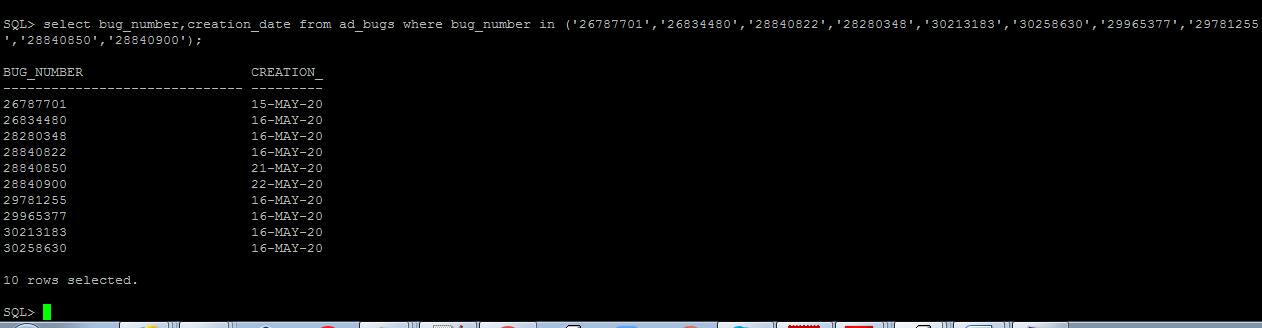
Check all the patches applied 
 
EBS120to1229-upgrade21.jpg

Run the pre-clone on DB and app node 

- Run pre-clone on DB node

[oraprd@ebs1229 PROD_ebs1229]$ perl adpreclone.pl dbTier
 
                     Copyright (c) 2011, 2014 Oracle Corporation
                        Redwood Shores, California, USA
 
                        Oracle E-Business Suite Rapid Clone
 
                                 Version 12.2
 
                      adpreclone Version 120.31.12020000.25
 
Enter the APPS User Password:
Verifying if Database Patch checker (ETCC) exists in /u01/oraprd/PROD/12.1.0/appsutil/etcc
 
Running:
perl /u01/oraprd/PROD/12.1.0/appsutil/bin/adclone.pl java=/u01/oraprd/PROD/12.1.0/appsutil/jre mode=stage  
stage=/u01/oraprd/PROD/12.1.0/appsutil/clone component=dbTier method=CUSTOM  
dbctx=/u01/oraprd/PROD/12.1.0/appsutil/PROD_ebs1229.xml showProgress
 
Beginning database tier Stage - Fri May 22 13:14:36 2020
 
/u01/oraprd/PROD/12.1.0/appsutil/jre/bin/java -Xmx600M -DCONTEXT_VALIDATED=false - 
Doracle.installer.oui_loc=/u01/oraprd/PROD/12.1.0/oui -classpath  
/u01/oraprd/PROD/12.1.0/lib/xmlparserv2.jar:/u01/oraprd/PROD/12.1.0/jdbc/lib/ojdbc6.jar:/u01/oraprd/PROD/12.1.0/appsutil/ja 
va:/u01/oraprd/PROD/12.1.0/oui/jlib/OraInstaller.jar:/u01/oraprd/PROD/12.1.0/oui/jlib/ewt3.jar:/u01/oraprd/PROD/12.1.0/oui/jli 
b/share.jar:/u01/oraprd/PROD/12.1.0/oui/jlib/srvm.jar:/u01/oraprd/PROD/12.1.0/jlib/ojmisc.jar    
oracle.apps.ad.clone.StageDBTier -e /u01/oraprd/PROD/12.1.0/appsutil/PROD_ebs1229.xml -stage  
/u01/oraprd/PROD/12.1.0/appsutil/clone -tmp /tmp -method CUSTOM    -showProgress
APPS Password :
Log file located at /u01/oraprd/PROD/12.1.0/appsutil/log/PROD_ebs1229/StageDBTier_05221314.log
 
  -     50% completed
 
Completed Stage...
Fri May 22 13:15:10 2020
[oraprd@ebs1229 PROD_ebs1229]$
 
 
- Run pre-clone on Apps node
 
[applprd@ebs1229 scripts]$ pwd
/u02/applprd/PROD/fs1/inst/apps/PROD_ebs1229/admin/scripts
[applprd@ebs1229 scripts]$
[applprd@ebs1229 scripts]$ perl adpreclone.pl appsTier
 
                     Copyright (c) 2011, 2014 Oracle Corporation
                        Redwood Shores, California, USA
 
                        Oracle E-Business Suite Rapid Clone
 
                                 Version 12.2
 
                      adpreclone Version 120.31.12020000.25
Enter the APPS User Password:
Enter the Weblogic AdminServer password :
 Checking the status of the Oracle WebLogic Administration Server....
 Running perl /u02/applprd/PROD/fs1/EBSapps/appl/ad/12.0.0/patch/115/bin/adProvisionEBS.pl ebs-get-serverstatus - contextfile=/u02/applprd/PROD/fs1/inst/apps/PROD_ebs1229/appl/admin/PROD_ebs1229.xml -servername=AdminServer - promptmsg=hide
 
The Oracle WebLogic Administration Server is up.
 
wlsDomainName: EBS_domain_PROD
WLS Domain Name is VALID.
 
Running:
perl /u02/applprd/PROD/fs1/EBSapps/appl/ad/12.0.0/bin/adclone.pl java=/u02/applprd/PROD/fs1/EBSapps/comn/util/jdk64  
mode=stage stage=/u02/applprd/PROD/fs1/EBSapps/comn/clone component=appsTier method=  
appctx=/u02/applprd/PROD/fs1/inst/apps/PROD_ebs1229/appl/admin/PROD_ebs1229.xml showProgress
 
 Setting the wls environment
Beginning application tier Stage - Fri May 22 13:17:01 2020
 
/u02/applprd/PROD/fs1/EBSapps/comn/util/jdk64/bin/java -Xmx600M -DCONTEXT_VALIDATED=false - Doracle.installer.oui_loc=/oui -classpath  
/u02/applprd/PROD/fs1/FMW_Home/webtier/lib/xmlparserv2.jar:/u02/applprd/PROD/fs1/FMW_Home/webtier/jdbc/lib/ojdbc6.j ar:/u02/applprd/PROD/fs1/EBSapps/comn/java/classes:/u02/applprd/PROD/fs1/FMW_Home/webtier/oui/jlib/OraInstaller.jar:/u0 
2/applprd/PROD/fs1/FMW_Home/webtier/oui/jlib/ewt3.jar:/u02/applprd/PROD/fs1/FMW_Home/webtier/oui/jlib/share.jar:/u02/ 
applprd/PROD/fs1/FMW_Home/webtier/../Oracle_EBS- 
app1/oui/jlib/srvm.jar:/u02/applprd/PROD/fs1/FMW_Home/webtier/jlib/ojmisc.jar:/u02/applprd/PROD/fs1/FMW_Home/wlserve 
r_10.3/server/lib/weblogic.jar:/u02/applprd/PROD/fs1/FMW_Home/oracle_common/jlib/obfuscatepassword.jar   
oracle.apps.ad.clone.StageAppsTier -e /u02/applprd/PROD/fs1/inst/apps/PROD_ebs1229/appl/admin/PROD_ebs1229.xml -stage  /u02/applprd/PROD/fs1/EBSapps/comn/clone -tmp /tmp -method CUSTOM   -showProgress -nopromptmsg
 
Log file located at /u02/applprd/PROD/fs1/inst/apps/PROD_ebs1229/admin/log/clone/StageAppsTier_05221317.log
 
  \     20% completed
 
Completed Stage...
Fri May 22 14:37:11 2020
[applprd@ebs1229 scripts]$