RW-50015 : Installation Error On Oracle EBusiness suite R12
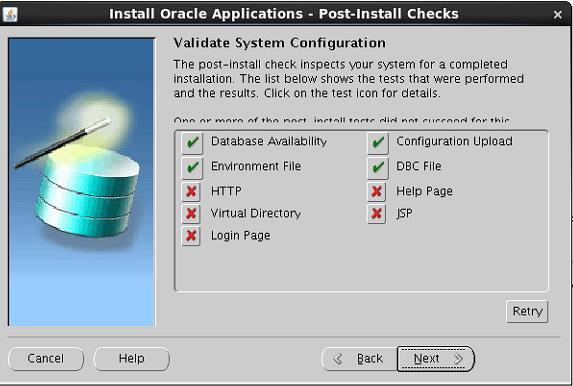
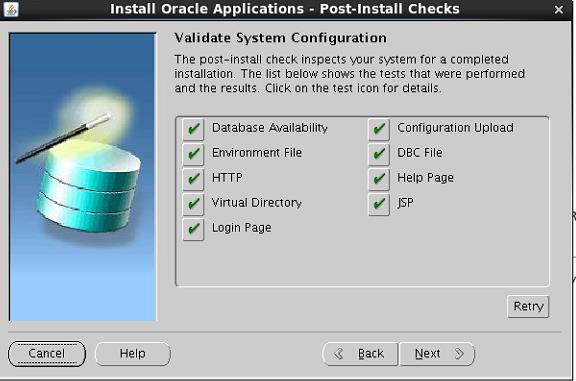
While installing EBS R12, following post install checks failed:
HTTP
Login page
Virtual Directory
JSP
Help Page
RW-50015: Error: - Help Page is not responding. The service might not have started on the port yet. Please check the service and use the retry button.
Virtual Directory
------------------
RW-50015: Error: - Http Server Virtual Directories is not responding. The service might not have started on the port yet. Please check the service and use the retry button.
JSP
----
checking URL = http://ebs1213.premier.com:8000/OA_HTML/jtfTestCookie.jsp
RW-50015: Error: - JSP is not responding. The service might not have started on the port yet. Please check the service and use the retry button.
Login Page
-----------
RW-50015: Error: - Login Page is not responding. The service might not have started on the port yet. Please check the service and use the retry button.
Solution –
APPLY OS Library Patch for Oracle HTTP Server
Download the patch 6078836 i.e p6078836_101330_LINUX.zip
Just unzip it and u will get below two files
[root@ebs1213 6078836]# pwd
/soft/6078836
[root@ebs1213 6078836]#
[root@ebs1213 6078836]# cp -r libdb.so.2 /usr/lib
[root@ebs1213 lib]# ln -sf /usr/lib/libgdbm.so.2.0.0 /usr/lib/libdb.so.2
Run env file
[applmgr@ebs1213 appl]$ pwd
/app/applmgr/PROD/apps/apps_st/appl
[applmgr@ebs1213 appl]$
[applmgr@ebs1213 appl]$
[applmgr@ebs1213 appl]$ ls -tlr APPSPROD_ebs1213.env
-rw-r--r--. 1 applmgr oinstall 1066 Dec 26 01:27 APPSPROD_ebs1213.env
[applmgr@ebs1213 appl]$
[applmgr@ebs1213 appl]$ . APPSPROD_ebs1213.env
[applmgr@ebs1213 appl]$
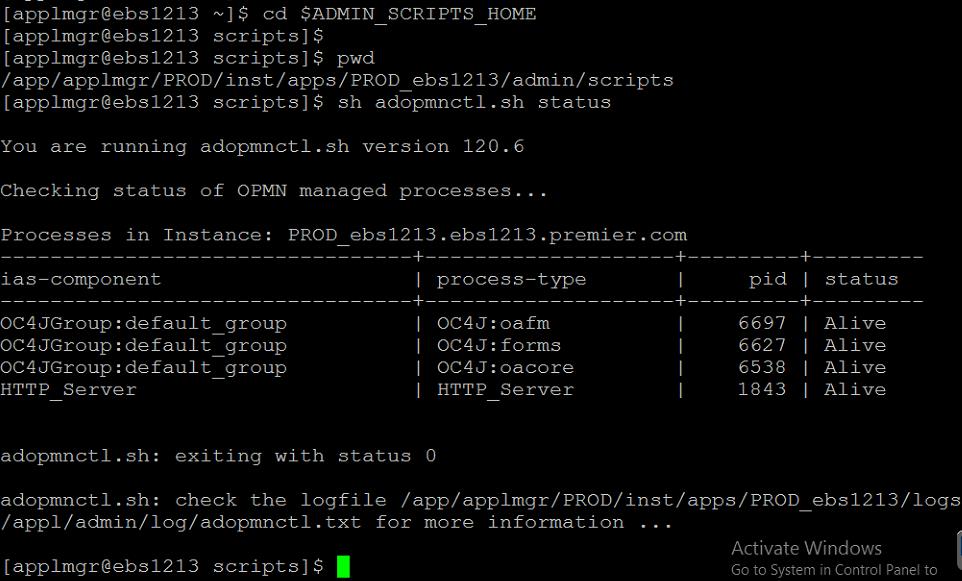
Start the opmnctl services
[applmgr@ebs1213 ~]$ cd $ADMIN_SCRIPTS_HOME
[applmgr@ebs1213 scripts]$
[applmgr@ebs1213 scripts]$ pwd
/app/applmgr/PROD/inst/apps/PROD_ebs1213/admin/scripts
[applmgr@ebs1213 scripts]$
[applmgr@ebs1213 scripts]$ sh adopmnctl.sh startall
You are running adopmnctl.sh version 120.6
opmnctl: starting opmn and all managed processes...
adopmnctl.sh: exiting with status 0
adopmnctl.sh: check the logfile /app/applmgr/PROD/inst/apps/PROD_ebs1213/logs/appl/admin/log/adopmnctl.txt for more information ...
[applmgr@ebs1213 scripts]$